Start from text
Have a character idea but no artwork? Describe the character type, body shape, head details, outfit, materials, style, and intended use, and Create3D turns the prompt into a 3D character model.
Create from prompt Create3D.io
Sign in or create your account to generate and manage your AI 3D models.
By continuing, you agree to our Terms and Privacy Policy.
Create3D.io helps you create character-style 3D models from text prompts, images, photos, sketches, and visual references. Build avatars, mascots, game character prototypes, toy characters, creatures, printable figures, AR characters, and creative 3D assets, then preview, refine, repair, convert, and export GLB, OBJ, FBX, STL, PLY, USDZ, or 3MF files.
This model is designed for subscribers. Upgrade your plan to unlock higher-quality 3D generation and advanced model options.
Most character creation starts with a clear visual direction — a game hero, stylized avatar, brand mascot, creature, robot, toy figure, collectible, or fantasy character. Create3D.io turns that direction into a downloadable 3D model so you can move from idea to asset in one session.
Have a character idea but no artwork? Describe the character type, body shape, head details, outfit, materials, style, and intended use, and Create3D turns the prompt into a 3D character model.
Create from promptAlready have a sketch, concept art, mascot drawing, toy photo, or avatar design? Upload it and Create3D builds a character-style model around your main subject — a fast image to 3D character route.
Create from a photoWhen costume, silhouette, wings, tail, backpack, or armor matter, add front, side, and back references. More angles help Create3D keep the character consistent from every direction.
Create from multiple photosGame heroes, mascots, avatars, creatures, astronauts, toy animals, fashion figures, and fantasy casters — Create3D AI handles the range. Use these directions as a starting point, then create your own 3D character from a prompt or image.
Armor, cape, and a clean silhouette built for prototype heroes and NPCs.
Prompt: low-poly fantasy hero, plate armor, red cape, glowing core, heroic pose MascotRounded shell, glowing core, and a cheerful face for brand and app mascots.
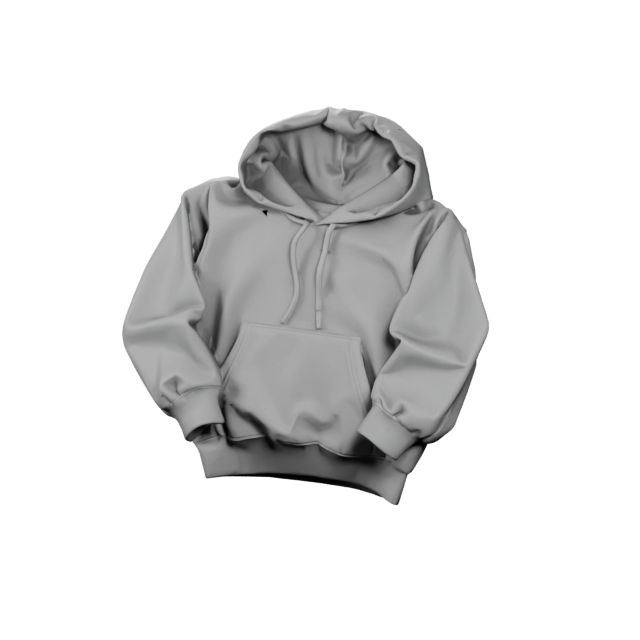
Prompt: cute robot mascot, glossy white shell, big cyan eyes, small antenna AvatarOversized head, hoodie, and soft toy-like proportions for stylized avatars.
Prompt: cute chibi avatar, hoodie, round glasses, sneakers, big head, soft style CreatureRound body, tiny wings, and big eyes for collectible-friendly creatures.
Prompt: cute baby dragon, round body, little wings, short horns, glossy scales Sci-fiRound helmet, padded suit, and backpack thrusters for space-themed heroes.
Prompt: chibi astronaut, round helmet, glowing visor, padded suit, backpack ToySmooth shapes and stable legs that read well as printable desk figures.
Prompt: cute fox toy figure, big fluffy tail, round body, smooth matte finish FashionClean apparel forms and posed proportions for fashion and e-commerce concepts.
Prompt: stylized fashion figure, flowing gown, studio lighting, e-commerce style FantasyRobes, hats, beards, and glowing props for RPG-style fantasy characters.
Prompt: friendly wizard, long beard, pointed hat, glowing staff, RPG characterCreate3D.io covers character-style 3D models across very different creative workflows — from fast game prototypes to mascots, avatars, collectible toys, creatures, and printable figures.
Build early concepts for prototype heroes, NPCs, enemies, companions, creatures, and mascots. Best exports: FBX, OBJ, GLB.
Create avatar-style models for web experiences, virtual identity concepts, AR demos, and creative profile characters. Exports: GLB, OBJ, USDZ.
Design friendly brand characters for websites, apps, product campaigns, and interactive marketing. Exports: GLB, OBJ, FBX.
Make toy-like figures, vinyl collectible directions, cute creatures, and printable desk toys. Exports: STL, 3MF, OBJ.
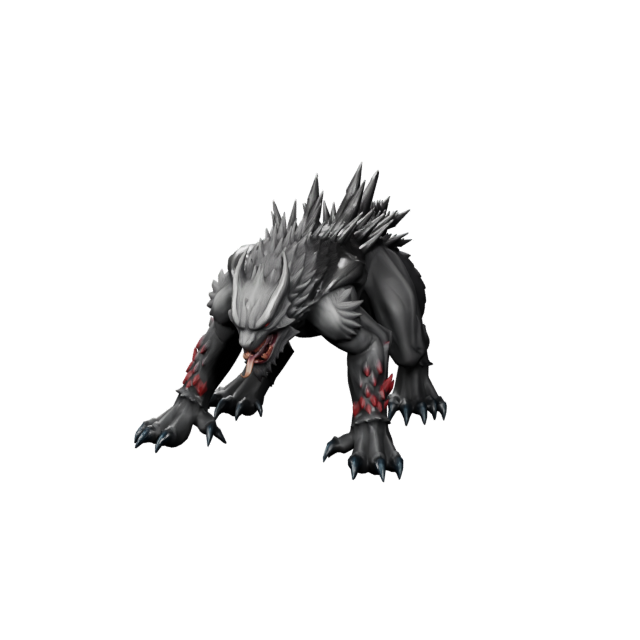
Create dragons, alien characters, friendly monsters, magical animals, and creature companions. Exports: GLB, OBJ, FBX.
Build classroom mascots, storytelling characters, STEM project figures, and learning-friendly 3D models.
The best route to a 3D character depends on what you already have. Text works well for fresh ideas; image input works well when the character's silhouette and visual identity already exist.
You have a new character idea, want fast concept exploration, need several directions, or want to control style, clothing, shape, and use case with words.
You have a sketch, concept art, mascot drawing, toy photo, avatar design, or character reference that should guide the generated model.
The character has detailed costume, wings, tail, backpack, armor, accessories, a distinct back design, or asymmetrical features.
A stronger 3D character starts with a clearer brief. Give the generator physical design details — not only a broad role name — and Create3D has more to work with.
Use these as starting points for your own 3D character creation. Each one names a character type, shape, accessories, style, and use case — the structure Create3D responds to best.
Stylized low-poly hero with cape, simple armor, and a confident game-character pose.
Prompt: low-poly fantasy hero, short cape, leather boots, oversized sword, clean prototypeFriendly brand bot with round head, glowing eyes, antenna, and glossy plastic shell.
Prompt: friendly robot mascot, round head, big glowing eyes, small antenna, cheerfulOversized head, hoodie, sneakers, and round glasses for a clean stylized avatar.
Prompt: cute chibi avatar, oversized head, hoodie, round glasses, soft toy-like styleSmall friendly dragon with round body, tiny wings, horns, and collectible-toy charm.
Prompt: small friendly dragon, round body, tiny wings, short horns, smooth scalesCompact astronaut-style pilot with round helmet, glowing visor, and backpack thrusters.
Prompt: compact sci-fi pilot, round helmet, padded suit, backpack thrusters, blue visorSimple animal character with a smooth body, big eyes, and thick stable legs for printing.
Prompt: simple printable bunny character, smooth body, rounded ears, thick legs, desk toyDifferent creators turn character ideas into downloadable 3D models for prototypes, visuals, products, learning, and creative work. Here is where Create3D fits each one.
Early concepts for NPCs, enemies, companions, creatures, mascots, and stylized heroes. Best input: prompts or references. Formats: FBX, OBJ, GLB.
Characters for short videos, storytelling, concept visuals, personal projects, and creative experiments. Formats: GLB, OBJ.
Mascot-style characters for product pages, app branding, websites, and interactive campaigns. Formats: GLB, OBJ, USDZ.
Toy-like characters, figurines, creatures, and printable collectibles. Best input: clean toy references. Formats: STL, 3MF.
Compact avatar and mascot models for AR previews, web viewers, and landing pages. Formats: GLB, USDZ.
Learning characters, classroom mascots, STEM project models, and simple educational figures. Formats: GLB, STL, OBJ.
The first generated result is a starting point. Create3D.io helps you inspect and prepare the character model before you take it anywhere else.
Start from a prompt or reference image and create a character-style 3D model based on your design direction.
Rotate the model online and check silhouette, body shape, head details, accessories, and overall style.
Use texture, render, and related Create3D tools to improve the character's visual direction before export.
Repair geometry before using the model in printing, conversion, or downstream 3D workflows.
Use remeshing and conversion when you need a cleaner mesh direction or a different file format.
Work with GLB, OBJ, FBX, STL, PLY, USDZ, or 3MF depending on the final use of your 3D character.
These two searches are close but not identical. This page is about action-based creation — you want to create a 3D character now from a prompt, image, sketch, or reference, and walk away with a file.
Pick the export based on how you plan to use the character after generation and refinement. Create3D also converts between these formats whenever your pipeline changes.
Character prompts work best when the design is focused, physical, and realistic for a first generated 3D model.
Create3D.io takes you from character idea to 3D model while keeping preview, refinement, conversion, and export in one browser-based workflow.
Describe a character from scratch or upload a sketch, photo, mascot drawing, or visual reference.
Generate avatars, mascots, toy characters, creatures, robots, game prototypes, and printable figures.
Inspect the model in your browser before downloading, converting, or editing in another tool.
Use texture, render, repair, remesh, segmentation, and conversion tools after generation.
Download GLB, OBJ, FBX, STL, PLY, USDZ, or 3MF for your creative workflow.
Create downloadable character-style models with honest expectations about rigging and animation.
Answers for creators who want to create 3D avatars, mascots, game character prototypes, toy characters, creatures, and printable figures from text or images with Create3D.
Open Create3D.io, choose Text to 3D or Image to 3D, then describe or upload your character. Create3D generates a character-style 3D model, you preview it online, refine it if needed, and export GLB, OBJ, FBX, STL, PLY, USDZ, or 3MF.
Yes. Use Text to 3D to describe the character type, body shape, head details, outfit, style, and use case. The Create3D AI 3D model generator then builds a character-style 3D model from your prompt.
Yes. Use Image to 3D when you have a sketch, concept art, mascot image, toy photo, avatar design, or character reference. A clear image with one main character works best for image to 3D character creation.
You can create avatars, mascots, game character prototypes, toy characters, collectible figures, robots, creatures, fantasy characters, sci-fi characters, and educational character models.
Yes. You can create early character models and prototypes for games, including NPCs, creatures, enemies, mascots, companions, and stylized heroes. For production game use, you may still need additional editing, optimization, rigging, or animation in other tools.
Yes. Create toy-like and printable-style characters, then export STL or 3MF. Before slicing, inspect and repair the model with the built-in 3D model repair tool for a cleaner print.
Yes. Create avatar-style character models from prompts or images. They suit creative identity concepts, AR previews, web visuals, and prototype avatar designs.
Create3D focuses on creating downloadable 3D character-style models from text or images. If you need rigging, skeletons, facial animation, or full character animation, plan to add those in other tools after export.
Create3D.io supports GLB, OBJ, FBX, STL, PLY, USDZ, and 3MF exports, and can convert between them with the built-in 3D model converter.
No. Create3D is designed for creators who want to create 3D models from text or images without starting in complex modeling software, while still offering tools that professionals expect.
Yes. Create3D.io is free to start, with free credits for creating and previewing 3D assets. Higher-quality model versions and advanced options may use additional credits or a subscription.
Commercial usage depends on your plan and license terms. Review the Create3D.io commercial license before using generated characters in paid projects, games, products, or client work.
Turn a prompt, image, sketch, photo, or reference into a downloadable 3D character-style model with Create3D.io. Build avatars, mascots, game character prototypes, toy characters, creatures, printable figures, and AR characters — then preview, refine, and export the file your project needs.