V4 Create3D.io V4.0 · Advanced AI 3D Creation Model

Create3D.io V4.0
Create 3D Models with AI

Create better 3D models from text prompts or images with Create3D.io V4.0. Built for creators who want stronger geometry, cleaner textures, flexible 3D exports, and commercial-ready AI 3D assets for games, product design, 3D printing, AR, VR, e-commerce, and creative production.

Stronger geometry PBR textures 7 export formats Commercial-ready
V4.0 · Live preview
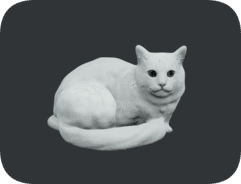
3D cat model generated from a prompt by Create3D.io V4.0
Try a preview Click to switch
Defined GeometryClearer shapes and stronger object structure for detailed assets.
Image to 3DTurn photos, sketches, and references into usable 3D models.
PBR TexturesGenerate textured assets that render cleanly for production.
Flexible ExportDownload GLB, OBJ, FBX, STL, PLY, USDZ, and 3MF files.
Built for better assets

Create3D.io V4.0 Is Made for Better AI 3D Assets

V4.0 is designed for users who need more than a quick 3D draft. It helps turn prompts and reference images into more usable AI-generated 3D assets, with improved object structure, stronger texture detail, and export options for real 3D workflows.

More Defined Geometry

Create 3D models with clearer shapes, stronger object structure, and better visual definition for detailed assets.

Improved Image-to-3D Results

Upload product photos, concept art, sketches, characters, props, or object references and convert them into usable 3D models.

Texture & PBR-Friendly Workflow

Generate textured 3D assets that work better for rendering, product previews, game scenes, AR experiences, and creative showcases.

Export for Real 3D Pipelines

Preview, refine, and export 3D assets in common formats such as GLB, OBJ, FBX, STL, PLY, USDZ, and 3MF.

Two ways to create

Create 3D Models from a Prompt or a Photo

Create3D.io V4.0 gives you two practical ways to create 3D models. Describe what you want with a text prompt, or upload a photo and let AI help turn it into a 3D model.

Prompt Generate

Text to 3D with Create3D V4.0

Describe the object, style, material, and purpose of the asset you want to create. Create3D.io V4.0 helps turn your prompt into a downloadable 3D model for game props, product ideas, collectibles, environment objects, miniatures, characters, and creative prototypes.

Game PropsProduct ConceptsCharactersAR Objects
Create 3D from Text
Reference photo

Photo to 3D with Create3D V4.0

Upload a clear photo and convert it into a 3D model with stronger geometry and texture reconstruction. Use Photo to 3D for product photos, sketches, visual concepts, toys, miniatures, collectibles, e-commerce previews, and design references.

Product PhotosConcept ArtToysE-commerce 3D
Create 3D from Photo
Serious 3D creation

Why Use V4.0 for Serious 3D Creation?

Create3D.io V4.0 is for creators who want AI-generated 3D models that are more useful beyond the first preview. It is especially valuable when geometry quality, texture detail, export flexibility, and commercial usage matter.

Geometry

Cleaner object structure, more detailed shape reconstruction, and stronger model definition.

Texture

Better textured assets with optional PBR-style material workflows for visual production.

Export

Use generated 3D assets across web previews, game engines, AR, VR, 3D printing, and creative tools.

Commercial Use

Annual members can use eligible V4.0 generated assets commercially and download a separate commercial license certificate for each individual 3D asset.

Mid-project boost

Create Higher-Quality AI 3D Models with V4.0

Start from a text prompt or upload a reference image. Create3D.io V4.0 helps you move from idea to 3D asset faster, with stronger geometry, better texture workflows, and export-ready results.

Made for creators

Who Is Create3D.io V4.0 For?

Create3D.io V4.0 is built for creators, developers, designers, product teams, educators, and 3D printing users who want to create usable 3D models without starting from a blank modeling workspace.

Game Developers

Create props, stylized objects, collectible items, environment assets, and early 3D concepts for Unity, Unreal Engine, WebGL, and interactive projects.

Product Designers

Turn product ideas, reference photos, sketches, and prompt descriptions into 3D forms for visualization, design exploration, presentations, and interactive previews.

3D Printing Users

Generate 3D concepts for miniatures, toys, decorations, functional objects, collectibles, and printable creative assets.

E-commerce Teams

Create product-style 3D previews for online stores, landing pages, interactive product displays, AR demonstrations, and marketing content.

AR / VR Creators

Prepare AI-generated 3D assets for immersive experiences, mobile AR previews, USDZ workflows, virtual scenes, and WebGL presentations.

Artists & AI Creators

Move from visual ideas to 3D assets faster, then continue refining with rendering, texture generation, remeshing, repair, segmentation, and export tools.

The workflow

From Idea to Downloadable 3D Asset

Create3D.io V4.0 gives you a practical workflow for turning prompts, images, and concepts into 3D assets you can preview, refine, export, and use.

1

Start with Text or Image

Enter a prompt or upload a clear reference image of the object you want to create.

2

Generate with V4.0

Create a higher-quality AI 3D model with stronger geometry, improved texture detail, and better object structure.

3

Preview and Inspect

Rotate, zoom, review lighting, inspect material views, and evaluate the model before export.

4

Refine with 3D Tools

Continue with AI 3D rendering, texture generation, remeshing, model repair, segmentation, or texture baking tools.

GLB · FBX · STL
5

Export and Use

Download GLB for web previews, or export OBJ, FBX, STL, PLY, USDZ, and 3MF for other 3D workflows.

Pick your workflow

Choose the Right Create3D Model Workflow

Use the model version that fits your goal. Start fast, explore more options, or choose V4.0 when you want the most advanced Create3D.io workflow for higher-quality 3D assets.

V1.0

Free

Fast AI 3D prototyping for quick ideas. Generate a textured 3D mesh for early experiments and simple creative exploration.

V3.0

Pro

Flexible 3D generation with optional textures, PBR materials, detailed geometry, and more advanced 3D asset options.

Commercial-ready

Commercial-Ready 3D Creation for Annual Members

Create3D.io V4.0 is available for annual subscription members who need advanced AI 3D generation and commercial-ready asset workflows. When you generate an eligible 3D asset with V4.0, you can download a separate commercial license certificate for that individual asset.

Per-Asset License Certificate

Download a commercial license certificate for each eligible 3D asset generated with V4.0.

Built for Real Projects

Use V4.0 assets in creative, design, product, game, AR, VR, and marketing workflows according to the commercial license terms.

Clearer Asset Records

Keep a separate license record for each generated asset, making commercial usage easier to document.

Annual Access to V4.0

V4.0 is designed as the advanced annual-member workflow for users who need higher-quality 3D generation and commercial usage.

GLBWeb & AR previews
OBJUniversal mesh
FBXGame engines
STL3D printing
PLYPoint & mesh data
USDZiOS / AR Quick Look
3MFModern printing
FAQ

Create3D.io V4.0 FAQ

Common questions about Create3D.io V4.0, text-to-3D, image-to-3D, export formats, commercial use, and generation credits.

What is Create3D.io V4.0?

Create3D.io V4.0 is the advanced AI 3D model generation workflow on Create3D.io for creating higher-quality 3D models from text prompts and images.

Can Create3D.io V4.0 generate 3D models from text?

Yes. Enter a detailed prompt and V4.0 can help generate a downloadable 3D model from your text description.

Can Create3D.io V4.0 generate 3D models from images?

Yes. Upload a clear image, product photo, concept art, sketch, or object reference, and V4.0 can help convert it into a 3D model.

What can I use Create3D.io V4.0 for?

Create3D.io V4.0 is useful for game development, product design, 3D printing, e-commerce product visualization, AR, VR, education, concept creation, and AI-assisted 3D asset production.

Does Create3D.io V4.0 support commercial use?

Create3D.io V4.0 is available exclusively to annual subscription members. As an annual member, you can download a separate commercial license certificate for each eligible 3D asset you generate with V4.0.

What 3D formats can I export?

Create3D.io supports common 3D export formats such as GLB, OBJ, FBX, STL, PLY, USDZ, and 3MF, depending on the selected asset and export workflow.

What happens if 3D generation fails?

If a 3D generation fails and no usable asset is created, the credits used for that failed generation are automatically returned to your account.

Is Create3D.io V4.0 only for professional 3D artists?

No. V4.0 is helpful for beginners, creators, designers, developers, and teams who want to create AI-generated 3D assets faster. Professional users can also use it as a fast starting point for more advanced production workflows.

Get started

Start Creating with Create3D.io V4.0

Create an AI 3D model from a text prompt or convert an image into a 3D asset. Use Create3D.io V4.0 to move from idea to model faster, then preview, refine, export, and build your next 3D project.

Create3D.io V4.0 · Create 3D with AI